















High Performance Starts Here — AMD Dedicated Servers

English

Home

Blog

How To Change Administrator Password on ...

How To Change Administrator Password on Windows Server 2022

How To Change Administrator Password on Windows Server 2022

NetShop ISP

NetShop ISP · Blog Author

Jan 30, 2023 · Technical Tutorials

The Administrator user is the account on Windows Server 2022 with the highest privileges. This means an Administrator can install/uninstall software, access all files/folders, and change security settings on the server.

In this tutorial we will demonstrate the steps with screenshots on how to change the Administrator password on Windows Server 2022.

5 Easy Steps to Change Administrator Password on Windows Server 2022

Step 1: Go to Start and search for Administrative Tools. Then click the associated result
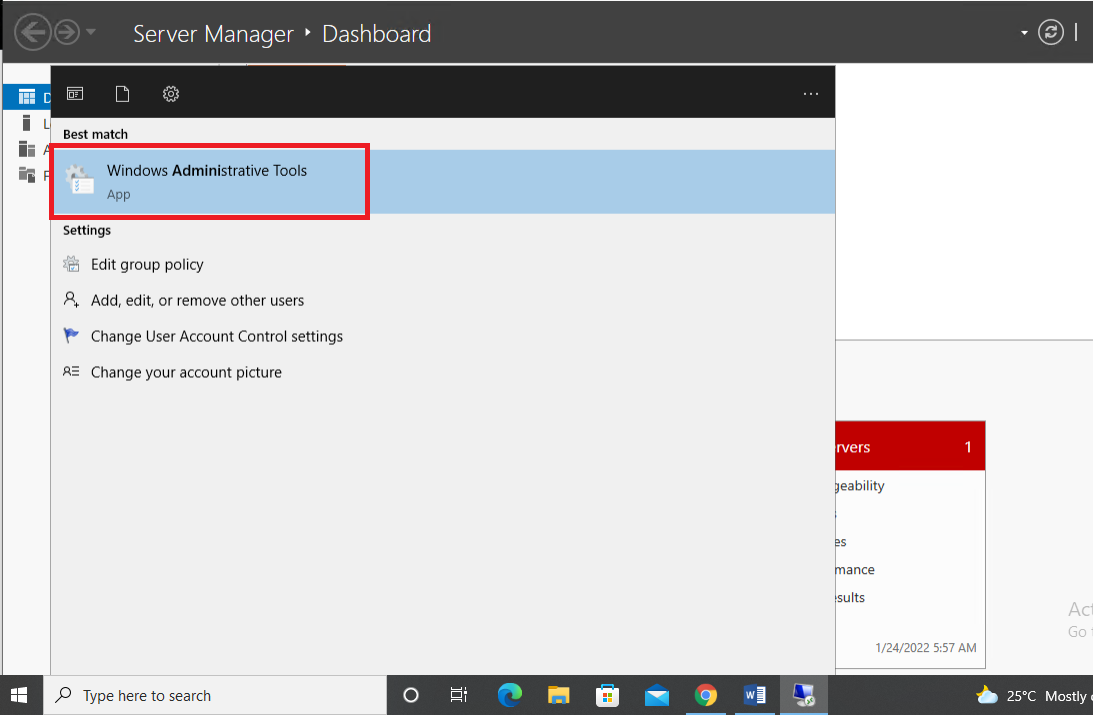
Step 1 – Change Administrator Password on Windows Server 2022

Step 2: Double-click on Computer Management as per the screenshot below
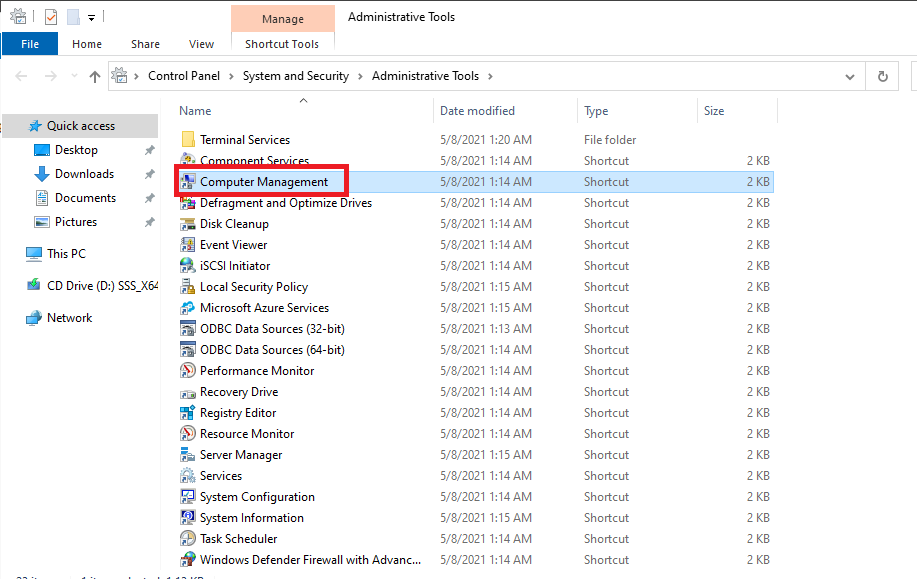
Step 2 – Change Administrator Password

Step 3: Expand the Local Users and Groups from the left sidebar, and then choose Users option from the list
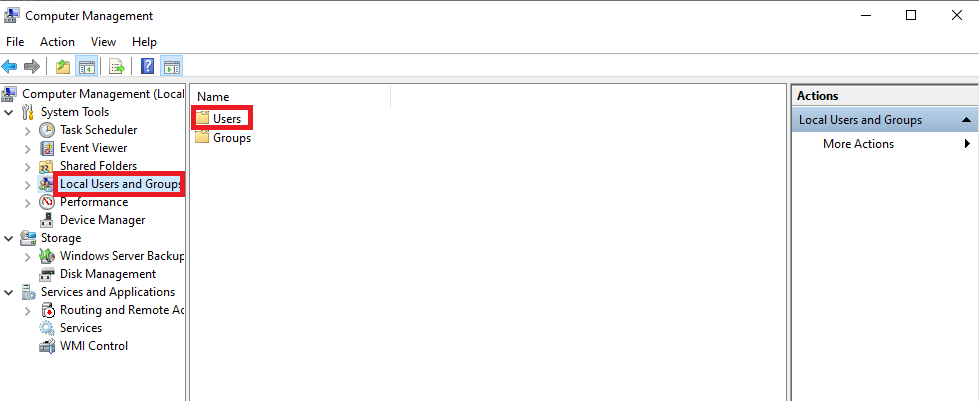
Step 3 – Change Administrator Password

Step 4: Right-click on the Administrator option and click Set Password as shown below
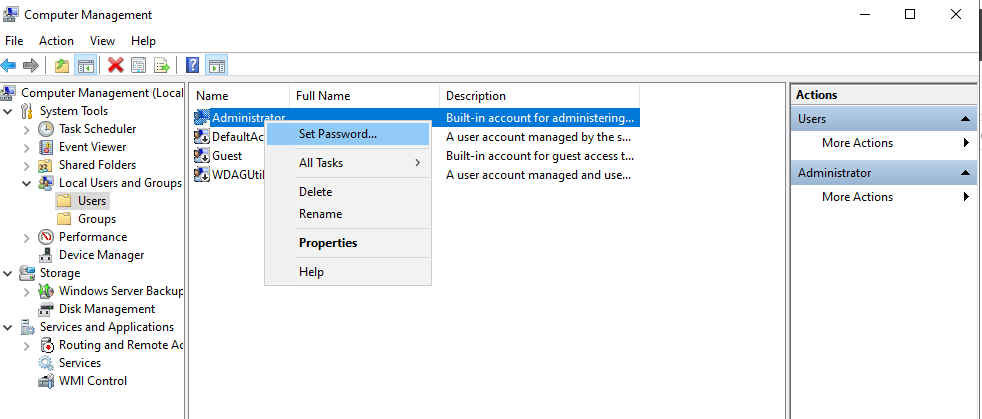
Step 4 – Change Administrator Password

Step 5: Enter a new Administrator password and click OK
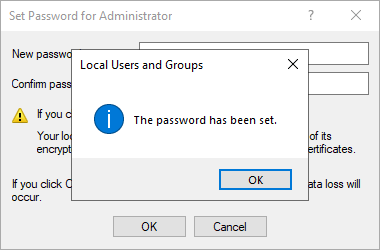
Step 4 – Change Administrator Password

You are all set! You have now successfully changed the password for Administrator account on Windows Server 2022.


how to
tutorials
windows server
Press Releases
97

Free VPS Trial

No Credit Card Required.

Start Your VPS Hosting Free Trial

Recent Posts

What Can You Do With a Hermes Agent VPS? - NetShop ISP Blog

What Can You Do With a Hermes Agent VPS?

30 July 2026

Hermes AI Agent VPS - Deploy in 1 Click

Introducing Hermes Agent VPS: Your Own AI Agent, Live in One Click

22 July 2026

How To Protect Your Website from DDoS Attacks in 2026

How To Protect Your Website from DDoS Attacks in 2026

14 July 2026

Why Your Stream Keeps Buffering (And How to Fix It)

Why Your Stream Keeps Buffering (And How to Fix It)

08 July 2026

How to Secure Your WordPress Website in 2026

How to Secure Your WordPress Website in 2026

30 June 2026