








WordPress powers more than 40% of all websites on the internet (Source: https://w3techs.com/technologies/details/cm-wordpress), making it the most widely used Content Management System (CMS) in the world. That same popularity is what puts it in the cross-hairs: attackers build automated tools that scan the web specifically for WordPress installations, probing for known weaknesses around the clock.
It is worth being clear about where the risk actually sits. The WordPress core software is generally well-maintained. The overwhelming majority of real-world compromises come from the layers around it:
- third-party plugins and themes
- weak credentials
- weak server configuration.
Securing WordPress is therefore less about the core itself and more about disciplined administration of everything surrounding it. This article covers the practical steps to secure your WordPress website.
Why WordPress Security Matters
A compromise rarely stays quiet. Once attackers gain access, they typically use the site for whatever pays: injecting SEO spam (the classic pharmaceutical and counterfeit-goods keywords), planting phishing pages, running cryptominers that quietly consume server resources, or installing card skimmers on WooCommerce checkouts.
The knock-on effects are what hurt the business. A flagged site can be added to Google Safe Browsing, triggering the full-page red warning that drives away visitors. If the server is used to send spam, its IP can land on email blacklists, affecting legitimate mail. Recovery is about cleaning the infection, finding every backdoor and restoring trust with search engines. It almost always costs more than the prevention would have. The case for getting ahead of it is straightforward.
Common WordPress Security Risks
Weak Login Credentials
Weak and reused passwords remain the single most common cause of breaches. Attackers rely on two tactics here: brute force (trying thousands of combinations) and credential stuffing (testing username/password pairs leaked from unrelated data breaches, banking on password reuse). The default admin username makes their job easier still, because it removes half the guesswork.
Strong, unique passwords and a cap on failed login attempts neutralise most of this traffic.
Outdated Software
This is where the real exposure lives. Roughly nine in ten WordPress vulnerabilities trace back to plugins and themes rather than the core. Two patterns are especially dangerous: abandoned plugins that have not seen an update in years (the developer has moved on, but the vulnerability has not), and nulled or pirated premium plugins, which frequently ship with a backdoor already built in.
Malware Infections
Malware usually arrives through a vulnerable plugin, after which files are dropped somewhere quiet such as wp-content/uploads. What it does next varies: redirecting visitors, serving spam, harvesting data, or maintaining a hidden backdoor for re-entry.
That last point matters most. The visible symptom is often easy to remove; the backdoor that let the attacker in is not. Miss it, and the site is reinfected within days. Fast, thorough detection is what breaks that cycle.
Brute Force Attacks
Brute force attempts hammer two endpoints: the standard wp-login.php page and xmlrpc.php, the legacy XML-RPC interface. The latter is worth singling out as it can bundle many login attempts into a single request, effectively amplifying an attack and slipping past basic per-attempt limits.
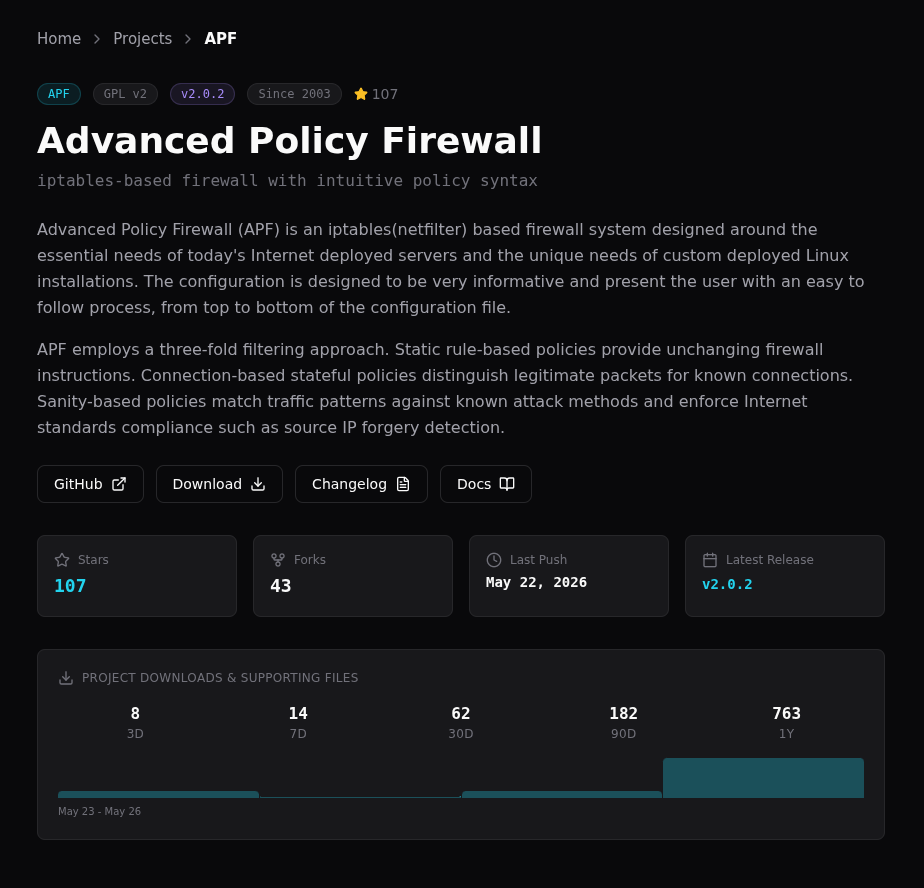
Server-level rate limiting (for example, Fail2ban), a Web Application Firewall (for example, APF), and two-factor authentication together make these attacks impractical.
Best Practices for Securing WordPress
Keep WordPress Updated
Enable automatic updates for minor core releases and for trusted plugins. For major version upgrades, test on a staging copy first. Just as importantly, delete plugins and themes you no longer use; a deactivated plugin still sits on disk and remains attack surface.
Use Strong Authentication
Use a long, unique password (16+ characters) for every administrative account, generated and stored in a password manager. Add two-factor authentication with preference for an authenticator app instead of the SMS option which can be intercepted. Avoid the admin username entirely, and limit login attempts so repeated failures lock out the source.
Install Security Monitoring Tools
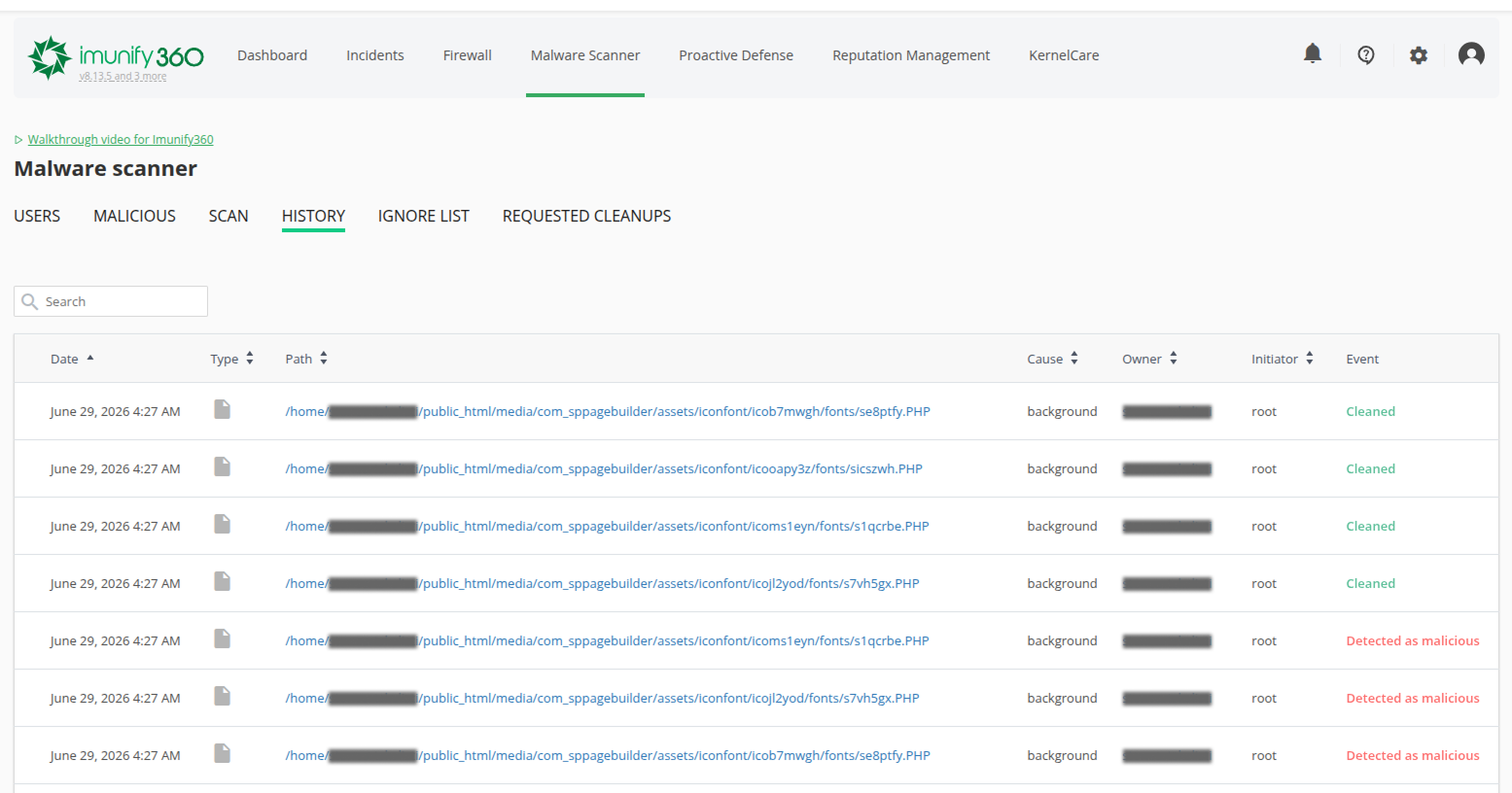
Application-level plugins such as Wordfence or Sucuri and server-level scanners such as ImunifyAV catch different things, and using both gives broader coverage. A Web Application Firewall adds a further layer by blocking known exploit patterns before they ever reach WordPress. Continuous monitoring is what turns a silent compromise into an early alert.
Limit User Permissions
Apply the principle of least privilege. WordPress roles escalate from Subscriber through Contributor, Author, and Editor to Administrator. Reserve Administrator access for the few people who genuinely require it, so a single compromised account cannot take down the whole site.
Maintain Regular Backups
Follow the 3-2-1 rule: three copies of your data, on two types of media, with one stored off-site. Remember that a backup that gets encrypted alongside the live site in a ransomware event is no backup at all. Just as important, test a restore occasionally. A backup you have never restored is an assumption, not a safety net.
Harden Configuration and File Permissions
A few server-side settings close common gaps:
- Set files to
644and directories to755; restrictwp-config.phpfurther to600or640. - Add
define('DISALLOW_FILE_EDIT', true);to disable the built-in dashboard code editor, a favourite tool for attackers who gain admin access. - Change the default
wp_database table prefix to make automated SQL injection harder. - Force HTTPS across the whole site, and disable XML-RPC if nothing on the site relies on it.
The official WordPress hardening guide is a good reference for the full list: https://wordpress.org/support/article/hardening-wordpress/
The Hosting Environment Matters
In addition to the security hardening steps performed on site-level, one must not forget the environment where the website resides; the server itself. The hosting environment carries real responsibility for security: account isolation so a single compromised site cannot reach its neighbours, a server-level firewall and WAF, a current and supported PHP stack, automated malware scanning, and properly issued SSL. A well-configured platform absorbs a large share of the attacks before they ever reach the application, which is exactly why the choice of host is itself a security decision.
Staying Secure with NetShop ISP
WordPress security is not a one-time task but an ongoing process of monitoring and maintenance. No single measure is enough on its own; the protection comes from layering them — current software, strong authentication, least-privilege access, reliable off-site backups, and a hardened, well-managed hosting environment underneath.
The reality is that this is continuous, hands-on work: patches to apply, logs to watch, backups to verify, and incidents to respond to quickly when they happen. For many businesses, the day-to-day demands of running their own operation leave little room for it.
This is where a managed hosting partner earns its place. Taking ownership of the patching, monitoring, hardening, and recovery so that security is handled by people who do it every day, rather than left to chance.
For further information on how NetShop ISP’s managed services can help your business, contact our representatives for a free consultation.